Cloudflare's New /crawl Endpoint: One API Call, Entire Website Crawled
Cloudflare launched a new /crawl endpoint on March 10, 2026. Here's how it works, what it costs, and who it's actually built for.

- Launched March 10, 2026 — Cloudflare's new /crawl endpoint is part of its Browser Rendering service and is currently in open beta.
- Submit a single URL and the API automatically discovers, renders, and returns content from an entire website in HTML, Markdown, or JSON.
- The process is asynchronous — you get a job ID back immediately, then poll for results when the crawl finishes.
- Primary use cases include AI model training, RAG pipelines, content monitoring, and documentation indexing.
- Pricing is tied to Cloudflare's Browser Rendering service — see the official pricing page for current rates, as the beta terms may evolve.
What Just Happened
On March 10, 2026, Cloudflare added a /crawl endpoint to its Browser Rendering service — a REST API that lets developers point at any starting URL and get back a fully rendered copy of an entire website. No custom scripts. No managing headless browsers yourself. No third-party scraping infrastructure.
The announcement landed quietly in Cloudflare's changelog, but it spread fast. The official tweet from @CloudflareDev reportedly crossed 2 million impressions within 24 hours, along with thousands of bookmarks from developers who clearly had a use case ready to go.
Introducing the new /crawl endpoint - one API call and an entire site crawled.
— Cloudflare Developers (@CloudflareDev) March 10, 2026
No scripts. No browser management. Just the content in HTML, Markdown, or JSON. pic.twitter.com/DCJMek8cZa
This is a new feature — not a rebranding of anything that existed before. The /crawl endpoint is distinct from Cloudflare's older single-page tools like /content, /markdown, or /scrape, which only operate on one URL at a time. The /crawl endpoint is built specifically to traverse an entire site automatically.
How It Actually Works
The flow is straightforward but worth walking through carefully, because it's asynchronous — meaning you don't get results back instantly in the same response.
Step 1: Start the Crawl
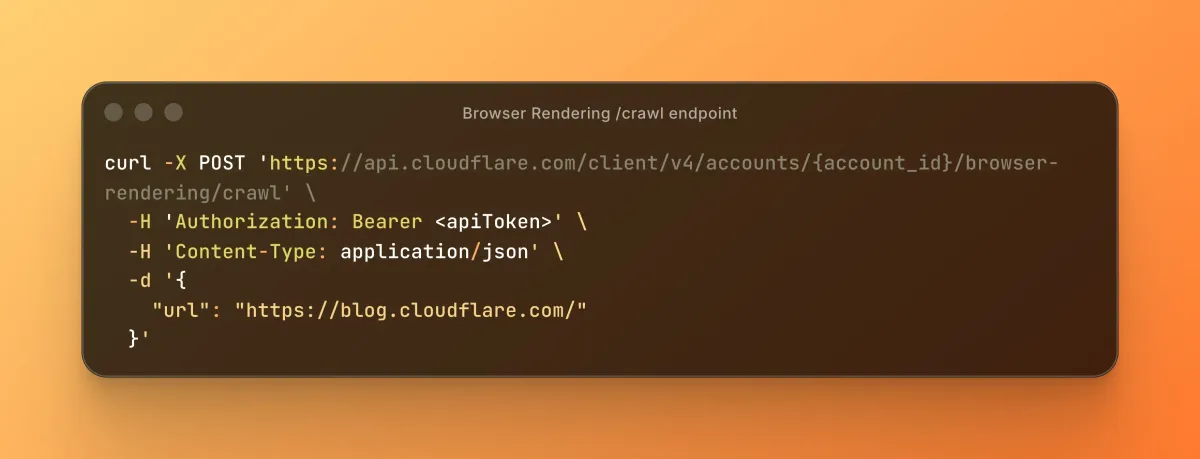
You send a POST request to the /crawl endpoint with a starting URL. Cloudflare's Browser Rendering service fires up a headless browser on its infrastructure, begins rendering pages, and follows links it discovers along the way.
The API responds immediately with a job ID. That's your receipt. The actual crawl runs in the background.
curl -X POST 'https://api.cloudflare.com/client/v4/accounts/{account_id}/browser-rendering/crawl' \
  -H 'Authorization: Bearer <apiToken>' \
  -H 'Content-Type: application/json' \
  -d '{
    "url": "https://blog.cloudflare.com/"
  }'
curl -X GET 'https://api.cloudflare.com/client/v4/accounts/{account_id}/browser-rendering/crawl/{job_id}' \
  -H 'Authorization: Bearer <apiToken>'
Step 2: Poll for Results
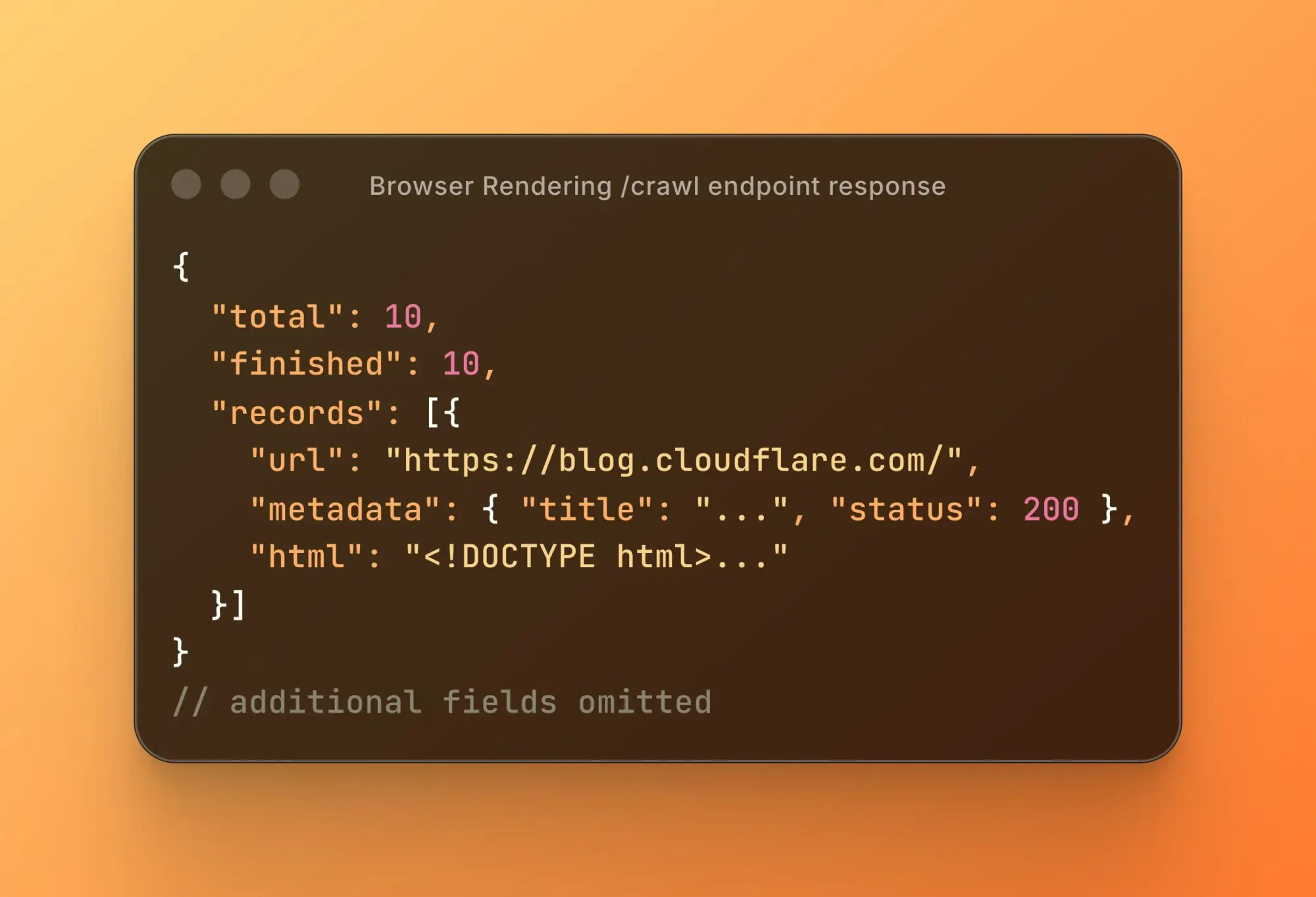
Once you have a job ID, you use it to check the status of your crawl job. When the job completes, the results come back containing the rendered content of every page the crawler visited — in whichever format you requested.
You can also cancel a crawl job mid-run if you need to stop it early.
What Gets Returned
You choose your output format at request time. The three options are:
- HTML — the fully rendered page source, including content that requires JavaScript to load
- Markdown — a clean, stripped-down version of the page content, useful for feeding into language models
- JSON — structured data extracted from the page, useful when you want something machine-readable without parsing raw HTML yourself
Because Cloudflare is rendering pages in a real headless browser — not just fetching static HTML — the crawler captures content that would be invisible to a basic HTTP request. If a page loads its content via JavaScript, the /crawl endpoint still gets it.
Required Fields and Optional Parameters
The only required field to start a crawl is a starting URL. Everything else is optional, but the optional parameters are where things get interesting.
According to the official documentation, you can configure:
- URL patterns — define which paths the crawler is allowed to follow, so you can limit it to a specific section of a site (like
/docs/only) - Page limits — cap how many pages get crawled in a single job
- Render settings — control how the headless browser behaves during rendering
- Skipped URLs — view which URLs the crawler encountered but chose not to visit, based on your pattern rules
The pattern behavior is particularly useful if you're crawling a large site and only care about one section — for instance, pulling all pages under a documentation subdirectory without also crawling the marketing site attached to the same domain.
Who Is This Built For
Cloudflare's own documentation lists the primary use cases clearly. Here's what they cover and why each one matters:
AI Training and RAG
RAG — Retrieval-Augmented Generation — is a technique where an AI model pulls in external documents before generating a response, rather than relying solely on what it was trained on. Think of it like giving the model a reference library to consult in real time.
To build a RAG system, you need clean text from a set of documents. The /crawl endpoint can pull an entire knowledge base or documentation site and return it in Markdown — exactly the format most RAG pipelines expect.
Content Monitoring
Teams that need to track changes across a website — price changes, policy updates, competitor content shifts — can run scheduled crawls and compare results over time. No third-party monitoring tool required.
Documentation Indexing
Internal search tools, developer portals, and AI assistants built on top of documentation sites all need a way to ingest that content. A single /crawl job against a docs site can replace a lot of custom pipeline work.
Product Catalog Extraction
The documentation specifically mentions combining the /crawl endpoint with AI-based JSON extraction — meaning you can crawl an e-commerce site and extract structured product data at scale without writing a custom scraper per site.
Just shipped a Claude Code skill to use Cloudflare's new /crawl endpoint
— Daniel San (@dani_avila7) March 12, 2026
In the video I'm posting, the skill crawls 29 pages from the Claude Code docs in one shot. That's it, one command
Install it: npx claude-code-templates@latest --skill utilities/cf-crawl
Open Claude and… pic.twitter.com/SK3RSVlf5N
Pricing
The /crawl endpoint runs on top of Cloudflare's Browser Rendering service. As of this writing, the feature is in open beta, which means pricing details may still be subject to change.
The official Browser Rendering pricing page is the authoritative source for current rates. We'd recommend checking there directly rather than relying on any third-party summary, since beta pricing terms can shift as the product moves toward general availability.
What we can say with confidence: Browser Rendering is a paid Cloudflare service, and /crawl jobs consume resources proportional to how many pages get rendered. A crawl of a 10-page site and a crawl of a 10,000-page site are not priced the same. The page limit parameter exists partly for this reason — it gives you cost control.
The Elephant in the Room
Cloudflare built its reputation, in large part, by making it harder to scrape websites. Bot protection, CAPTCHA challenges, and Scrape Shield are all Cloudflare products that thousands of companies pay for specifically to keep automated crawlers away.
Now Cloudflare is also selling a crawler.
That tension hasn't gone unnoticed online.
🚨 Stop scrolling. This is the biggest betrayal in tech this year.
— Tuki (@TukiFromKL) March 11, 2026
The company that built its entire reputation on BLOCKING scrapers just shipped the most powerful scraping tool ever made.
> Cloudflare just dropped a /crawl endpoint. One API call and you get an entire website… https://t.co/ERLG79RSdl pic.twitter.com/Y2txUDJOb3
Cloudflare spent years restricting scrapers and selling anti-bot protection.
— Karan (@karankendre) March 11, 2026
Now they offer /crawl endpoint that can fetch HTML, convert pages to Markdown, extract links, and scrape page elements programmatically. https://t.co/k31YFOudJy pic.twitter.com/CMtsfuwerD
Cloudflare hasn't publicly addressed this framing directly. The /crawl endpoint documentation focuses entirely on the technical mechanics and legitimate use cases. Whether this represents a genuine strategic shift or simply a product team filling a market gap is, at this point, a matter of interpretation.
What's technically accurate: the /crawl endpoint runs on Cloudflare's own infrastructure and is subject to robots.txt — the standard file websites use to communicate crawling preferences to bots. The documentation confirms that robots.txt and sitemaps are part of the Browser Rendering reference material, though the specifics of how the /crawl endpoint handles them by default should be confirmed in the official docs before relying on that behavior.
Where to Start
If you want to try it yourself, the official documentation is the right place to begin:
- /crawl endpoint reference — full parameter documentation and example requests
- Official changelog entry — the announcement with context on what was added
- Browser Rendering pricing — current pricing information
- Limits page — what constraints apply to crawl jobs
FAQ
Is the /crawl endpoint free?
It's part of Cloudflare's Browser Rendering service, which is a paid product. The feature is currently in open beta, so pricing specifics are best confirmed on the official pricing page.
How is /crawl different from Cloudflare's other Browser Rendering endpoints?
The existing endpoints — like /content, /markdown, and /scrape — all operate on a single URL at a time. The /crawl endpoint is specifically designed to traverse an entire site by automatically following discovered links, making it the only multi-page option in the Browser Rendering REST API.
Does it respect robots.txt?
Cloudflare's documentation references robots.txt in the Browser Rendering service context, but you should verify the default behavior directly in the official docs before deploying against sites you don't own.
Can I limit how many pages get crawled?
Yes. The endpoint supports page limits and URL pattern filters as optional parameters, so you can constrain a crawl to a specific section of a site or cap it at a maximum number of pages.
What output formats does it support?
Results can be returned as HTML, Markdown, or JSON. You specify the format when initiating the crawl job.
Bottom Line
The /crawl endpoint is a genuinely useful addition to Cloudflare's Browser Rendering toolkit. For anyone building AI pipelines, knowledge bases, or content monitoring systems, the ability to hand off a URL and get back a structured copy of an entire site — rendered by a real browser, no custom infrastructure required — removes a meaningful amount of engineering friction.
It's in open beta as of March 10, 2026, which means it's real and available but potentially subject to change. The pricing, the rate limits, and the exact behavior around things like robots.txt are all worth verifying in the official documentation before you build anything production-critical on top of it.