Firecrawl CLI: Give Your AI Agents Real-Time Web Access
Firecrawl just launched a CLI that lets AI agents like Claude Code scrape, search, and browse the web with a single install. Here's what it does.

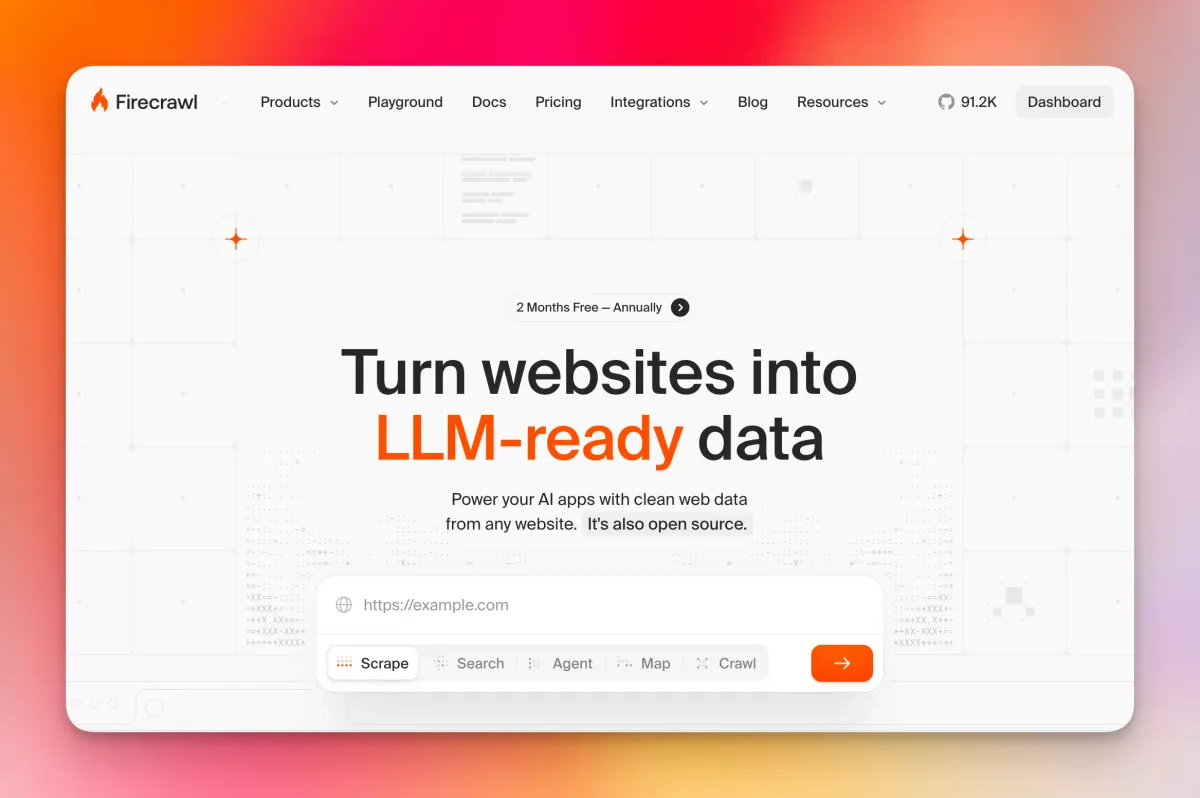
- Firecrawl launched a CLI that lets AI agents scrape, search, crawl, and browse the web directly from a terminal or coding agent environment.
- A single command —
npx -y firecrawl-cli@latest init --all --browser— installs the skill across every detected AI coding agent at once. - Supported agents include Claude Code, Codex, and OpenCode, with more likely to follow.
- The CLI outputs clean, LLM-ready markdown, stripping out the noise (ads, navigation, boilerplate) that wastes context window space — how much text an AI model can read at once.
- According to early listings, it reportedly outperforms native Claude Code fetch with over 80% web coverage.
What Is the Firecrawl CLI?
Firecrawl has been a popular tool for converting messy web pages into clean, structured data that AI models can actually use. Until recently, accessing it meant going through their API or SDK. Now there's a faster path: a dedicated CLI (command-line interface) — a tool you run directly in your terminal.
The CLI is designed specifically for AI coding agents. The idea is straightforward: agents like Claude Code constantly need fresh information from the web, but pulling that data reliably has been a real problem. Raw HTML is bloated. Generic scrapers break. Rate limits hit unexpectedly. The Firecrawl CLI is built to solve all of that in one install.
It also ships as a "Skill" — a packaged capability that agents can discover and use autonomously, without the developer having to wire everything up manually each time.
Firecrawl CLI
Getting Started: Installation and Auth
Installing the CLI is genuinely quick. Running the command below will install the Firecrawl skill and automatically detect any AI coding agents on your machine, wiring them all up at once:
npx -y firecrawl-cli@latest init --all --browser
The --all flag pushes the skill to every compatible agent it finds. The --browser flag opens a browser window so you can authenticate with your Firecrawl account without copy-pasting API keys by hand. After that, restart your agent and it will pick up the new skill automatically.
If you prefer a global install, you can also run npm install -g firecrawl-cli and then authenticate separately with firecrawl login. You can pass your API key directly via flag, set it as an environment variable, or let the browser flow handle it.
Self-hosted Firecrawl users are covered too. Pointing the CLI at a local instance skips API key authentication entirely, which is useful during development:
firecrawl --api-url http://localhost:3002 scrape https://example.com
Introducing the new Firecrawl CLI 🔥
— Firecrawl (@firecrawl) March 11, 2026
The toolkit for agents to scrape, search, and browse the web.
- Scrape clean data from any page
- Search the web and get full results back
- Spin up cloud browsers for interactive flows
npx -y firecrawl-cli@latest init --all --browser pic.twitter.com/VkW964aX2T
What the CLI Can Actually Do
Scrape
Scraping is the core command — point it at a URL and get back clean content. By default it returns markdown, but you can request HTML, raw links, or JSON depending on what your workflow needs.
Key options include --only-main-content, which strips navigation menus, footers, and ads before returning anything. For JavaScript-heavy pages that render content dynamically, you can configure wait times so the page fully loads before extraction happens. Screenshot capture is also available if your agent needs visual context alongside text.
Search
The search command queries the web and returns full scraped results — not just links, but the actual page content. You can filter results by source, time range, or location, which makes it significantly more useful than a generic web search for research or data-gathering workflows.
Map
Map is a site discovery tool. Point it at a domain and it returns all the URLs it can find — pulling from sitemaps and crawling site structure. You can layer on search filters to narrow the output. It's useful when an agent needs to understand the shape of a site before deciding what to scrape.
Crawl
Crawl goes deeper than a single-page scrape — it processes an entire website, following links across pages. You can set depth limits so it doesn't spiral out of control, apply path filters to focus on specific sections, and configure rate limiting to stay polite to the target server. Once a crawl is running, firecrawl crawl status [job-id] lets you check progress.
Browser
The browser command spins up a managed cloud browser — a fully functional browser environment your agent can interact with programmatically. This is useful for pages that require logins, button clicks, or other interactive steps that a standard scrape can't handle.

Agent Mode
There's also an agent command in the CLI, which appears to let Firecrawl's own agent handle a more autonomous research task — essentially giving it a goal and letting it figure out the web interactions needed to complete it. This is listed as a research preview feature.
Why This Matters for AI Coding Agents
Most AI coding agents today are operating on stale training data. When they need fresh web context, they either hit a basic fetch function (which often fails on JavaScript-rendered pages or returns raw HTML full of junk) or they rely on integrations that introduce extra latency and configuration overhead.
The Firecrawl CLI sidesteps that by delivering bash-native web access. Because the output lands as clean local files or piped text, agents can work with it at maximum token efficiency — they're not burning through their context window (again: the amount of text they can read at once) processing HTML boilerplate that carries no useful signal.
Make Claude Code 10x more powerful with real-time web context!
— Sumanth (@Sumanth_077) January 30, 2026
Firecrawl just released a CLI and Firecrawl skill that lets AI agents like Claude Code, Codex, and OpenCode fetch web content locally for maximum token efficiency.
Most agents struggle with web context. They use… pic.twitter.com/mDIbEYPoIG
Where to Find It
- Official docs: docs.firecrawl.dev/sdks/cli
- GitHub repo: github.com/firecrawl/cli
- Announcement blog post: firecrawl.dev/blog/introducing-firecrawl-skill-and-cli
- Demo video: youtube.com/watch?v=lBOkbKf0iLo
FAQ
Does the Firecrawl CLI require a paid API key?
You need a Firecrawl API key to use the cloud version. If you're running a self-hosted Firecrawl instance locally, API key authentication is skipped automatically when you point the CLI at a custom URL.
Which AI agents does the Firecrawl Skill support?
The skill currently works with Claude Code, Codex, and OpenCode. The --all flag during init attempts to install it to every compatible agent detected on your system.
What output formats does the CLI return?
The default is markdown, which is the most token-efficient format for LLMs. You can also request HTML, JSON, or a plain list of links depending on what your workflow needs.
Can it handle JavaScript-heavy pages?
Yes. The scrape command supports configurable wait times for JavaScript rendering, and the browser command can spin up a full managed cloud browser for pages that require real interaction like logins or button clicks.
Is the CLI open source?
According to the GitHub repository, yes — the CLI is open source and available for contributions and self-hosting scenarios.
Bottom Line
The Firecrawl CLI closes a real gap in the AI agent ecosystem. Giving agents reliable, clean web access through a single installable skill — rather than fragile one-off integrations — is the kind of infrastructure improvement that quietly makes a lot of other things easier. Whether you're building research pipelines, automating data collection, or just trying to keep Claude Code from hallucinating outdated facts, this is a tool worth having in the stack.
It's early days, and the agent mode is still in research preview, but the core scrape, search, map, and crawl commands are live and documented. If your AI coding workflow regularly needs fresh web context, this is worth a quick install.