LTX 2.3: Sharper Video, Native Portrait Mode, and Cleaner Audio — All Open Source
Lightricks released LTX 2.3 on March 5, 2026 — a 22B parameter open-source video model with sharper output, cleaner audio, and native portrait support.

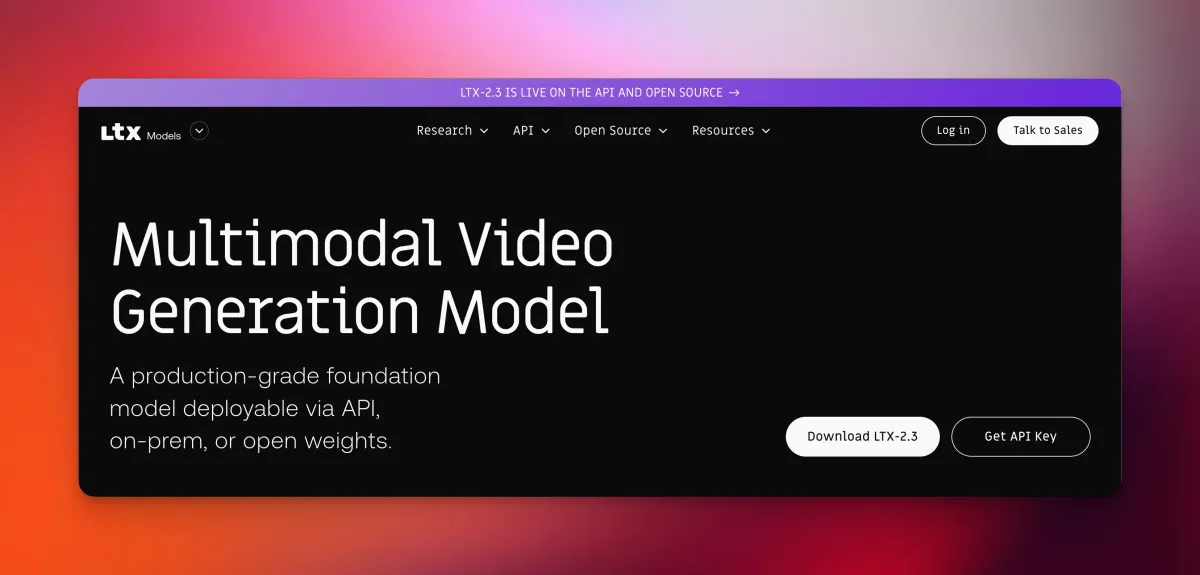
- LTX 2.3 was released by Lightricks on March 5, 2026, as a major architectural upgrade to its open-source video generation line.
- The model runs on a 22-billion-parameter Diffusion Transformer (DiT) and generates synchronized video and audio from a single system.
- A redesigned VAE (the component that encodes and decodes visual data) delivers noticeably sharper fine details compared to the previous version.
- Native 9:16 portrait orientation is now supported out of the box — no cropping workarounds needed.
- Weights are fully open, and the model can run locally on your own machine without API fees or cloud queues.
What Is LTX 2.3?
LTX 2.3 is the latest open-source video and audio generation model from Lightricks, a company best known for consumer creative tools. It shipped on March 5, 2026, alongside a companion desktop application called LTX Desktop.
At its core, LTX 2.3 is a Diffusion Transformer (DiT) — think of it as a neural network that iteratively refines noise into coherent video frames, similar to how image diffusion models like Stable Diffusion work, but extended to motion and sound. With 22 billion parameters, it sits in the same weight class as frontier closed models.
What separates it from most competitors is the open-weights approach. According to the official GitHub repository, the model targets commercial-grade generation quality comparable to Google Veo 3, but without the restrictions of a closed ecosystem.
The Four Core Upgrades
1. A Rebuilt Latent Space for Sharper Details
The biggest under-the-hood change is a redesigned VAE — short for Variational Autoencoder, the part of the pipeline responsible for compressing video frames into a compact mathematical space and reconstructing them. A better VAE means finer textures and crisper edges in the final output.
According to the official LTX documentation, this updated latent space delivers noticeably crisper results, particularly on complex scenes with fine detail.
Sharper Fine Detail
2. Cleaner Audio, Fewer Artifacts
Synchronized audio generation was introduced in LTX 2, but version 2.3 tackles a persistent problem: background noise and audio artifacts that crept into generated clips.
Lightricks addressed this through improved data filtering during training, which strips out noisier samples before the model ever learns from them. The result is reportedly cleaner ambient sound and more stable lip-sync behavior.
LTX 2.3 (NEW)
LTX-2 (OLD)
3. Native Portrait Orientation
Until now, AI video models almost universally defaulted to landscape output. LTX 2.3 natively supports 9:16 vertical video — the format used by TikTok, Instagram Reels, and YouTube Shorts — without any post-processing crop.
This is a meaningful workflow improvement for creators producing short-form social content directly from AI-generated footage.
LTX-2.3 is now supported in ComfyUI
— ComfyUI (@ComfyUI) March 5, 2026
Major quality improvements from @Lightricks:
- Finer visual details
- Better 9:16 portrait videos
- Cleaner audio
- More stable image-to-video motion
- Smarter prompt understanding
- Clearer text rendering
Examples 🧵👇 pic.twitter.com/AH2wK6Etj7
4. A Much Larger Text Encoder
The text encoder — the component that translates your written prompt into instructions the model can act on — has been significantly scaled up. This means the model handles more nuanced or complex prompts with greater accuracy, especially for intricate multi-element scenes.
Clearer text rendering within generated video frames is also reported as a side benefit of this upgrade, according to early ComfyUI testing.
LTX Desktop: An Interface Built on the Engine
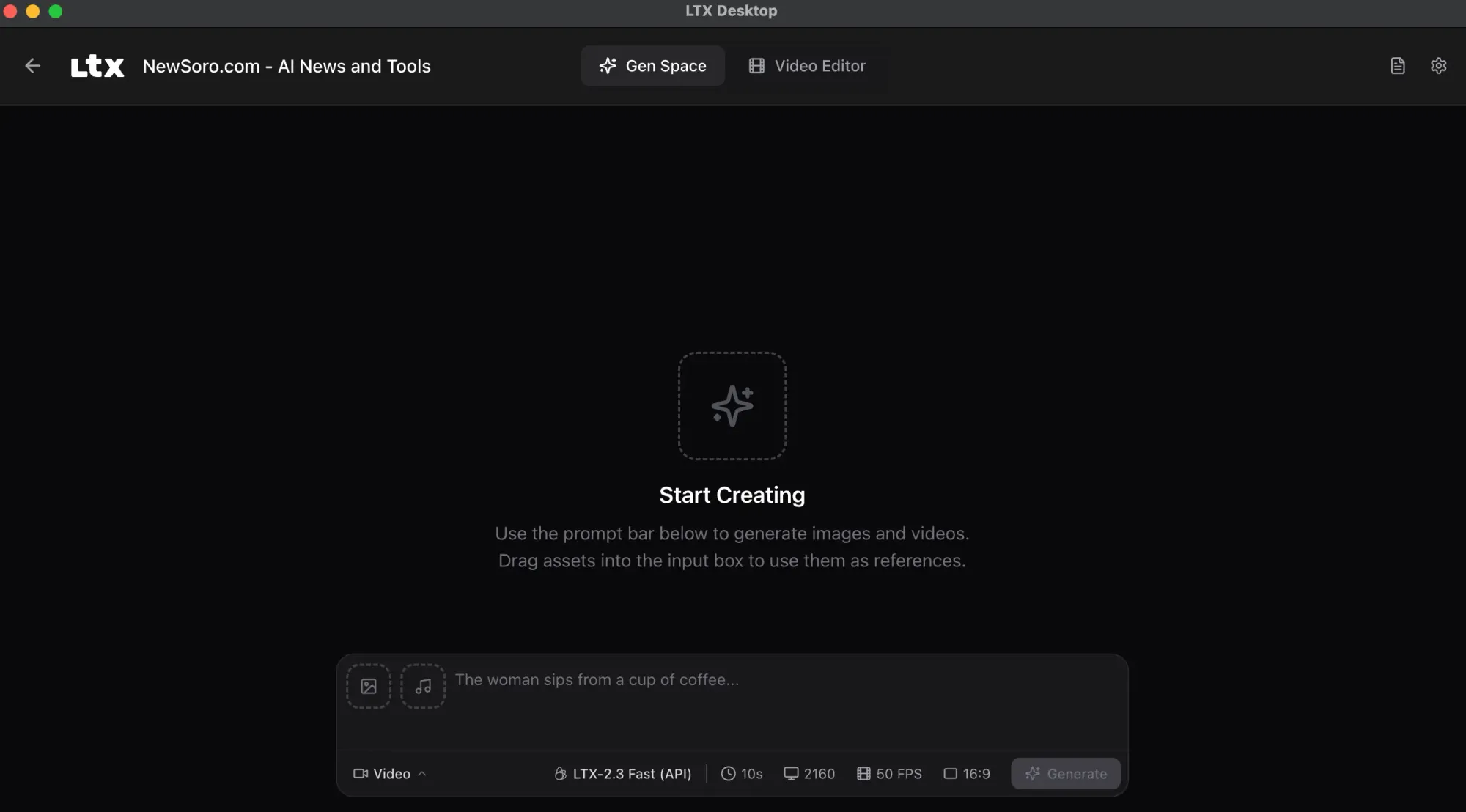
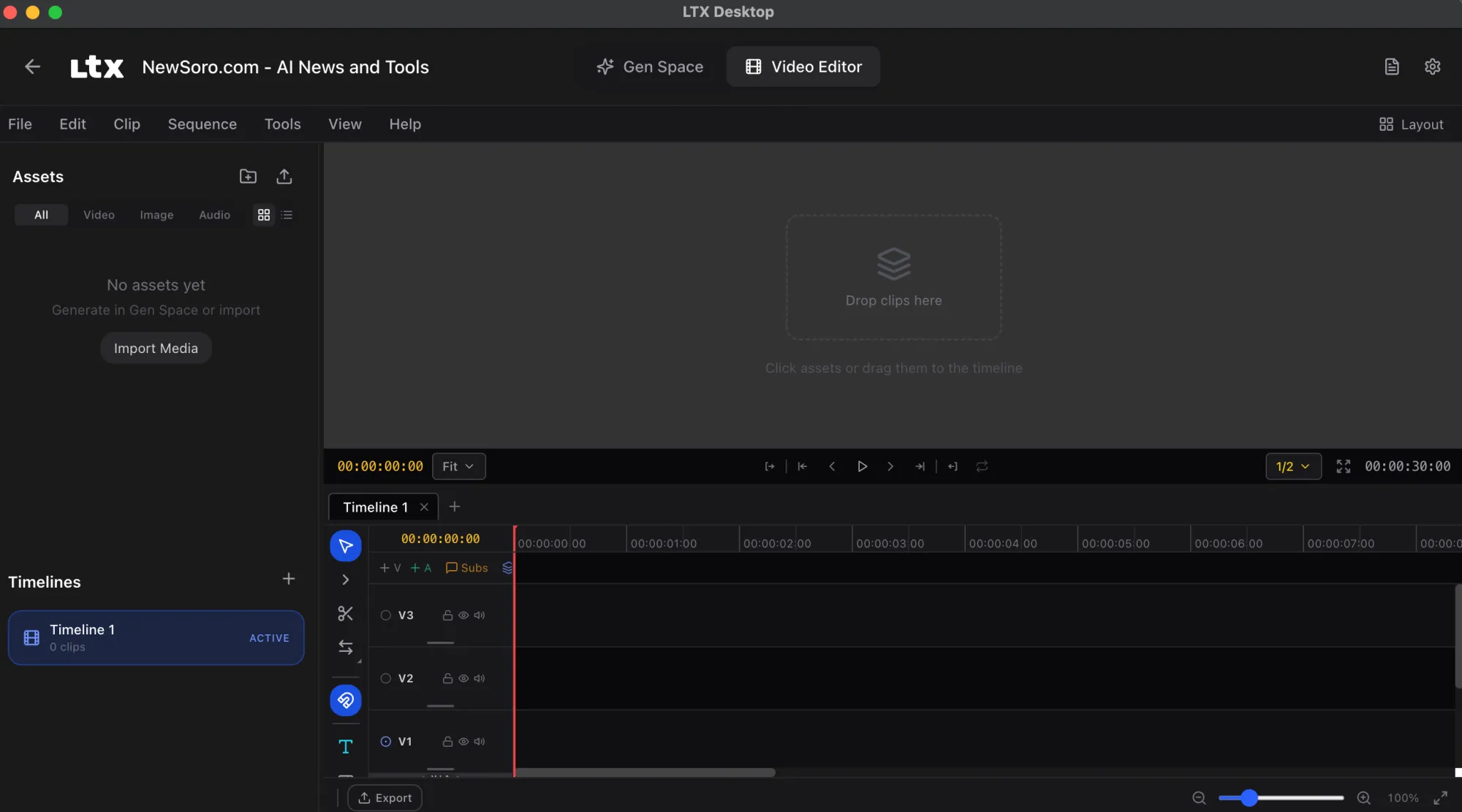
Alongside the model itself, Lightricks shipped LTX Desktop — described as a production-grade video editor built directly on top of the LTX engine. According to the official release post, this marks the first time Lightricks has shipped a full interface alongside a model release, not just weights.
It's free and open source, targeting creators and developers who want a complete local workflow without stitching together separate tools.
Access LTX Desktop here: https://ltx.io/ltx-desktop
Running It Locally
One of LTX 2.3's most talked-about properties is its ability to run on consumer hardware. The model is available in multiple precision formats — GGUF, FP8, and BF16 — which are different ways of compressing the model's numerical weights to fit smaller VRAM budgets without catastrophic quality loss.
For those unfamiliar: GGUF is a quantization format popularized by the llama.cpp ecosystem that makes large models runnable on machines without high-end GPUs. FP8 and BF16 are lower-precision floating point formats that trade a small amount of accuracy for significantly faster processing.
A fast variant, LTX-2.3 Fast (model ID: ltx-2-3-fast), is also available for users who prioritize generation speed over maximum quality, and it supports both text-to-video and image-to-video workflows.
You can run this on your own computer.
— Linus ✦ Ekenstam (@LinusEkenstam) March 6, 2026
No API bills. No credits. No overloaded cues. Just run it locally. LTX-2.3
pic.twitter.com/RDiuHjyzLW
Detailed local setup instructions, including GGUF and FP8 configurations, are covered at Stable Diffusion Tutorials.
Where to Access LTX 2.3
- Model weights and code: GitHub — LTX-desktop/LTX-2.3
- API documentation and changelog: docs.ltx.video
- Official release post: ltx.io
Frequently Asked Questions
Is LTX 2.3 completely free to use?
Yes. The model weights are open source and available on GitHub and HuggingFace at no cost. LTX Desktop is also free. Cloud API usage may involve credits depending on the platform you use to access it.
What hardware do I need to run LTX 2.3 locally?
The model supports GGUF and FP8 quantized formats specifically to lower hardware requirements. Exact VRAM minimums aren't specified in the current documentation, but the intent is compatibility with mid-range consumer GPUs. Check the local setup guide for current hardware recommendations.
Does LTX 2.3 generate audio automatically?
Yes. LTX 2.3 is a joint video-and-audio model, meaning audio is generated within the same architecture rather than added as a separate post-processing step. Version 2.3 specifically improves audio cleanliness over its predecessor.
Can I use LTX 2.3 inside ComfyUI?
Yes. ComfyUI has officially confirmed support for LTX 2.3, including improvements to portrait video generation, image-to-video motion stability, and text rendering.
How does LTX 2.3 compare to closed models like Google Veo 3?
According to the project's GitHub page, LTX 2.3 targets commercial-grade quality on par with Veo 3. However, independent head-to-head benchmarks haven't been published yet, so treat that positioning as the developer's stated goal rather than a verified result.
Bottom Line
LTX 2.3 is a meaningful step forward for open-source video generation. The combination of a redesigned VAE, a larger text encoder, native vertical video, and cleaner audio closes several gaps that have made earlier open models feel rough around the edges compared to closed alternatives.
For developers and creators who've been waiting for a locally-runnable video model that doesn't require constant API budget management, LTX 2.3 makes a strong case. The addition of LTX Desktop as a bundled editing interface suggests Lightricks is pushing this beyond a research release toward something genuinely production-ready.